Your online academic presence
Jonathan Peelle
Northeastern University
- What is the right time to build a personal website, and how do you do it?
- Is social media ever useful professionally?
- How can you network as effectively as possible in a way that feels comfortable?
Caveats
- Everyone has opinions
- Find what works for you
What goals do you have for your online presence?
- Job search
- Research visibility
- Teaching visibility
- Public engagement
- Finding community
- Learning from others
- Participant recruitment
What audiences do you have for your online presence?
- Students
- Colleagues
- Collaborators
- Funders
- The public
- Other professional audiences
Start here
As an academic you should have:
- A personal website with a stable URL
- A completed LinkedIn profile
- A Google Scholar profile (as soon as you have 1 publication)
Whether it’s worth going beyond these depends on your personal goals.
Your current online presence
- Try typing your name into Google. If you are not the first result, you have work to do.
- Both web search and LLMs make use of available documents on the web. It’s not magic. If you don’t like what you see about yourself, work to change it.
Considerations
- If you have a common name, use your middle initial—or write out your full middle name—consistently (not just on papers, but on your website, CV, social media, etc.).
- If you don’t have a middle name, you may want to adopt one.
- The more places your name appears in relation to what you want to be known for, the better. One website is better than zero; 20 is better than one.
- Complete your profile, targeting the audiences you want to reach
- If you are looking for a job in industry you may want to highlight project management experience or coding.
- Keep your information current!
- Build some kind of network
- Consider posting to promote your work, colleagues’ work, etc.
Website requirements
- Have information your audience cares about
- Under your control
- Stable URL (independent of institution)
- Easy to update
Website options
- Squarespace
- Intuitive editing
- Generally looks good
- Costs money
- GitHub Pages
- Intuitive editing…if you are comfortable with markdown type languages and git workflow
- Can look good
- Free
- Other: Quarto, Rmarkdown, etc.
Themes for GitHub pages
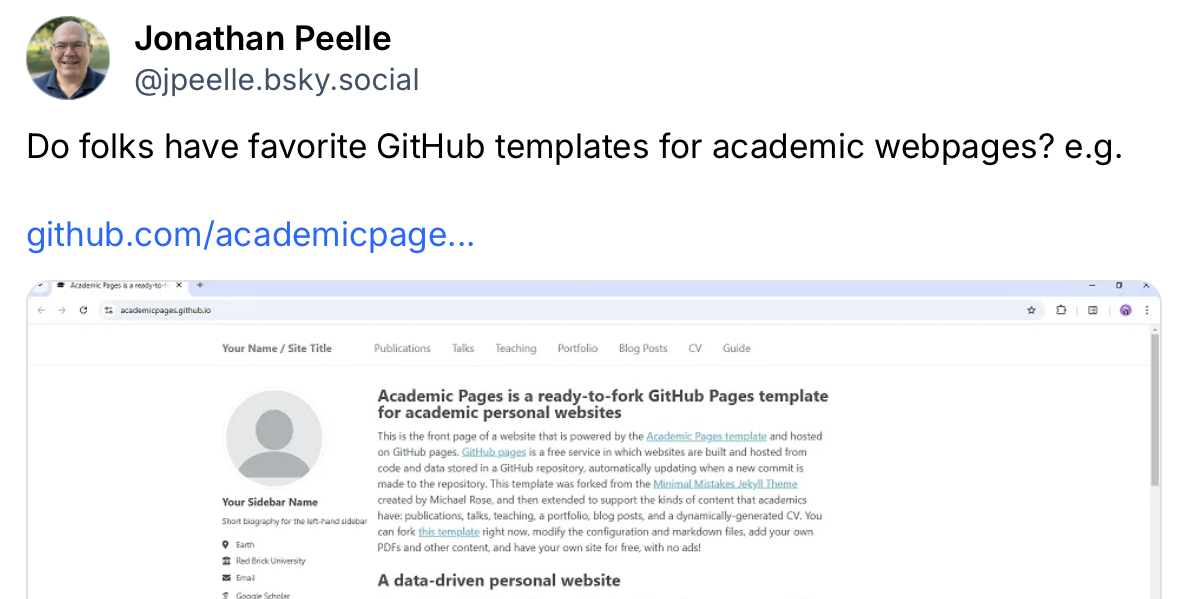
- https://academicpages.github.io
- Step-by-step instructions provided
- Jonathan’s quick example that took about 2 hours (and is not complete): http://jpeelle.github.io
Academicpages: edit yaml and md text files
# Basic Site Settings
locale             : "en-US"
site_theme         : "mint"
title              : "Your online academic presence"
title_separator    : "-"
name               : &name "Jonathan Peelle"
description        : &description "Professor Peelle's Portfolio"
url                : https://jpeelle.github.io


author:
  avatar           : "profile.png"
  name             : "Jonathan Peelle"
  pronouns         : "he/him"
  bio              : "Smart and handsome professor"
  location         : "Boston, MA"
  employer         : "Northeastern University"
  uri              : "http://jonathanpeelle.net"
Hosting vs. domain
- A website host is where your content lives
- A domain is what you would type in the address bar (e.g., jonathanpeelle.net). You can change which host the domain points to in the future.
- Regardless of where you host your website, having a domain is nice (and often only about $20/year)
- I use Hover. Save $2: https://hover.com/xFYiu13a
Website content
- Think about your goals and likely audiences
- Be inspired by people you look up to in your desired profession
- At minimum:
- A short bio or introduction
- A CV
- A list of publications
- Contact information
Other social media
- Different platforms have different audiences and can serve different purposes
- Bluesky
- Mastodon
- etc.
Like most of life, what you get out of a thing relates to how much time and effort you put in.
Questions?
Other resources
- Juice and Squeeze podcast on science communication and online presence
- Juice and Squeeze podcast on networking